
Understanding VFD Fault Codes – Common Causes and Fixes
When working with variable‐frequency drives (VFDs), encountering a fault code is one of the most common maintenance challenges. Whether you’re using a drive like the ABB ACS355-03E-04A1-4, Allen Bradley 25A-D013N114, Lenze E84AVSCE2224SB0, Schneider ATV630C13N4 or Danfoss 132F0005, knowing how to interpret those fault codes and take effective corrective action is key.
In this guide we’ll cover: how to read and understand common VFD fault codes; typical root causes such as overcurrent, over-voltage, phase loss or ground fault; practical fix steps; and best practice to reduce recurring trips. We’ll also link to useful tools and calculators, and to your product offering so you can select correct drives or accessories when necessary.
Why VFD Fault Codes Matter
Fault codes in a VFD are more than just error messages – they act as diagnostics that tell you *what has gone wrong* (or what the drive believes has gone wrong). Without taking them seriously, you risk recurring downtime, potential damage to the motor or drive, or worse – a safety issue.
According to maintenance guidance documents from major manufacturers, common faults include “Over-current”, “Over-voltage”, “Ground fault”, “Motor or drive overload”, “Output phase fault”. :contentReference[oaicite:0]{index=0}
How to Use This Guide – A Structured Approach
When a fault occurs, follow this sequence:
- Record the **fault code** displayed (for example F0002, OCF, etc).
- Refer to the drive’s manual for that particular code (each model has specific codes). :contentReference[oaicite:1]{index=1}
- Match the fault to common causes (see next section).
- Perform corrective actions (wiring check, load check, parameter review, environmental).:contentReference[oaicite:2]{index=2}
- Clear the fault and test the system under load to ensure resolution.
Common VFD Fault Codes & Their Typical Causes
Overcurrent / Current Limit Faults
Description: The drive detects current above its safe threshold (often during acceleration, steady state or deceleration). Example codes may include “OC”, “OCF”, “Overcurrent”. :contentReference[oaicite:3]{index=3}
Typical causes:
- Mechanical binding or load jam – the motor is trying to drive more than expected.
- Incorrect motor or drive parameters entered (motor size, current rating) so the drive trips prematurely.
- Faulty motor or wiring (short circuits, insulation breakdown). :contentReference[oaicite:4]{index=4}
Fix steps:
- Disconnect load, monitor drive current with no load – if still high, suspect motor/wiring.
- Check motor nameplate matches drive setting; adjust if required.
- Check acceleration/deceleration times – very short times can cause current spikes.
Over-Voltage / DC Bus High Faults
Description: The drive detects the DC bus voltage exceeding its limit (often during deceleration when regenerating energy). Example code “OV”, “OP” etc. :contentReference[oaicite:5]{index=5}
Typical causes:
- Rapid deceleration or high inertia load feeding energy back to drive.
- No braking resistor installed (or under-sized) when required.
- Input voltage surge from supply side.
Fix steps:
- Check parameter for braking and regenerative energy – fit a braking resistor if required.
- Smooth deceleration time or avoid sudden stops where possible.
- Check that supply voltage is within tolerance and surge protection is in place.
Undervoltage / Input Phase Loss Faults
Description: The drive detects input voltage below safe threshold or missing phase – codes might include “UV”, “EPHI”, “EPHO”. :contentReference[oaicite:6]{index=6}
Typical causes:
- Supply voltage sag or power interruption.
- Loose incoming connections, blown fuse or tripped breaker.
- Faulty input phase wiring or missing neutral/phase reference (in single phase input drives).
Fix steps:
- Check supply voltage (L-L & L-N) under load.
- Check incoming fuses, breaker and terminals for tightness and condition.
- Ensure correct phase sequence and matched input type for the drive (single vs three-phase).
Ground Fault / Earth Leakage Faults
Description: The drive detects a leakage or earth fault in the output or motor circuit. The code may show “GF”, “Ground Fault”, “Output side earth fault”. :contentReference[oaicite:7]{index=7}
Typical causes:
- Insulation breakdown in motor windings or cable runs.
- Damaged motor cable, moisture ingress or mechanical damage to insulation.
- Incorrect or missing ground conductor or improper motor mounting causing stray currents.
Fix steps:
- Isolate the motor and cable, megger the insulation between each phase and to ground.
- Inspect motor cable routing for pinched or damaged insulation, especially in high-voltage VFD output pulses. :contentReference[oaicite:8]{index=8}
- Ensure drive and motor grounding are correctly installed per manufacturer instructions.
Motor Stall / Overload Faults
Description: The motor fails to reach speed or stalls – the drive may interpret this as a “Motor Overload” or “Stall” fault. Example codes may include “MS”, “OLMt”, etc. :contentReference[oaicite:9]{index=9}
Typical causes:
- Mechanical blockage; load locked up or bearing failure.
- Load suddenly increased beyond motor capacity (belt break, jammed conveyor, frozen pump).
- Incorrect torque or speed settings, or wrong motor data in the drive.
Fix steps:
- Check motor shaft for free rotation (when drive is disconnected and motor off) – verify no mechanical obstruction.
- Check motor nameplate vs drive settings; adjust if mismatch.
- Monitor current draw during startup – if extremely high or fails to accelerate, investigate load side components (gearbox, belt, coupling).
Drive-Specific Considerations & How Your Products Fit
Different VFD brands model their fault codes and protections slightly differently. It’s essential to consult the manual for each model. For instance: the **ABB ACS355** includes fault code tables where F0002 = Overcurrent, F0005 = DC bus voltage too low. :contentReference[oaicite:10]{index=10}
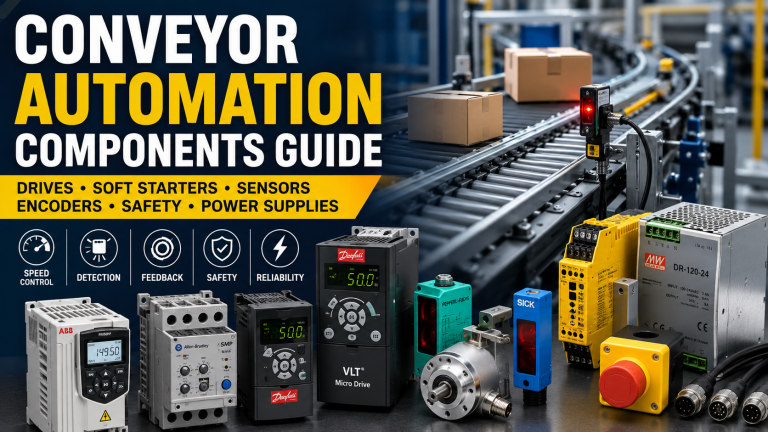
Your product links provide excellent choices when you may need to replace or upgrade a drive:
- ABB ACS355-03E-04A1-4 – compact industrial drive, good for many general machine control tasks.
- Allen Bradley 25A-D013N114 – Allen-Bradley PowerFlex style drive, high compatibility in many automation systems.
- Lenze E84AVSCE2224SB0 – Lenze vector drive variant, ideal for higher dynamic loads and torque control.
- Schneider ATV630C13N4 – Schneider Altivar series, offers advanced protection and fault diagnostics.
- Danfoss 132F0005 – Danfoss drive offering broad application coverage and built-in fault monitoring.
When replacing a faulty drive, check that the new unit supports the same motor type, meets the same or higher current rating and offers equivalent or improved fault-diagnostic features (ground fault detection, DC bus monitoring, phase loss detection etc). Installing a drive with better diagnostics will make future fault-finding quicker and less costly.
Best Practice Troubleshooting Workflow
Here’s a reliable step-by-step workflow when you’re called out for a VFD fault trip:
- Record the fault code and time of occurrence. Use drive logs if available. :contentReference[oaicite:11]{index=11}
- Clear the fault and attempt to restart under no-load or light-load conditions if safe to do so.
- If fault reoccurs immediately, switch off drive and isolate motor & load. Check motor insulation and wiring.
- If the motor runs with no load and still trips – likely the drive itself or input supply fault.
- Check the drive parameters: motor nameplate data, acceleration/deceleration settings, braking or regeneration settings, supply type (single vs three-phase), input voltage limits.
- Inspect the load: mechanical binding, belt slip, gear failure, blocked fluid path in pumps, jammed conveyors.
- Ensure cooling and ventilation of the drive: many faults (especially over-temp) are caused by inadequate heat dissipation or dirty heatsinks. :contentReference[oaicite:12]{index=12}
- After repair or correction, reset the fault, log the outcome, and monitor for repeat occurrences. If the fault becomes frequent, consider root-cause analysis rather than quick resets.
Prevention: How to Reduce Future Fault Trips
Preventing faults is always preferable to reacting to them. Some best-practice steps include:
- ✅ Use the correct drive size and type for the motor and load. Avoid undersizing which often leads to overcurrent or thermal faults.
- ✅ Enter accurate motor data into the drive (FLA, voltage, poles, speed) to ensure drive correctly monitors current and load behaviour.
- ✅ Use proper braking resistors or regeneration units if the load decelerates rapidly or drives high-inertia applications.
- ✅ Ensure motor cables are correctly sized and routed; avoid excessive length, sharp bends, damage, or inappropriate insulation – these can cause ground/fault trips. :contentReference[oaicite:13]{index=13}
- ✅ Ensure good ventilation around the drive; keep heatsinks clean and ambient temperatures within specification.
- ✅ Use drive diagnostics and monitoring (many modern drives allow logging of fault history, current/voltage trends) – early warning helps avoid major shutdowns. :contentReference[oaicite:14]{index=14}
- ✅ When installing or maintaining – always check that the supply voltage and phase sequence are correct, and that input wiring is secured and sized properly.
Conclusion & Next Steps
Fault codes on VFDs are not just nuisance messages – they are valuable clues to underlying problems in your drive, motor or system. By understanding the most common fault types (overcurrent, over/under-voltage, ground faults, motor stalls), and by applying a structured diagnostic and preventive approach, you can reduce downtime, avoid costly motor or drive replacements, and extend the life of your machine.
If you’re dealing with repeated faults and suspect it’s time for an upgrade, explore our wide range of advanced inverter drives including the models linked above. Upgrading to a drive with stronger diagnostics, higher overload capacity or better cooling can pay dividends in uptime and reliability.
Drive Outlet Megastore stocks industry-leading inverter drives from brands such as ABB, Allen Bradley, Lenze, Schneider and Danfoss at competitive UK prices with fast delivery. If you’d like further help diagnosing a fault code or selecting the right drive for your application – contact our expert team.