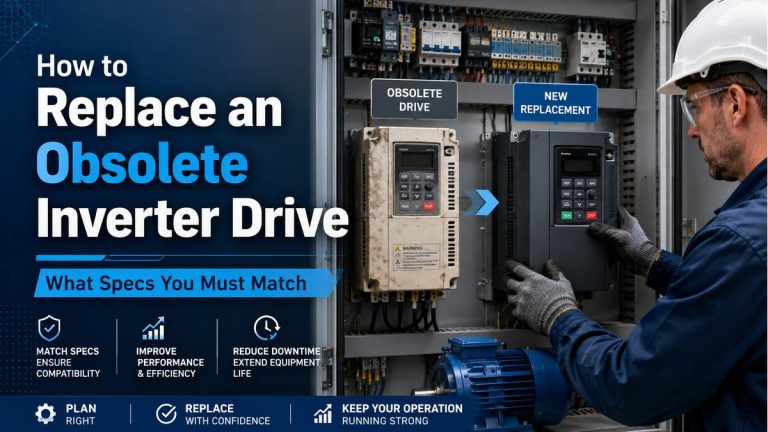

How to Connect a PLC to a VFD: Step-by-Step Integration Guide
In modern automation systems, linking a programmable logic controller (PLC) with a variable frequency drive (VFD) is a fundamental task that unlocks precise motor control, dynamic process adjustment and improved system efficiency. Whether you’re commissioning a drive, upgrading a legacy panel or building a new control cabinet, knowing exactly how to integrate a PLC with a VFD ensures smoother startup, fewer faults and better performance.
In this guide we’ll walk through: identifying signal types, wiring discrete/analog I/O, configuring communication protocols, parameterising the VFD, and verifying the integration. We’ll also link to key tools like the VFD Sizing Calculator and the VFD Cable Sizing Calculator, and show you product links to equipment you may be using or replacing.
Step 1: Define the Architecture & Select Devices
Begin by deciding the architecture of your system: which PLC, which VFD, and how they’ll talk. For example, you may select a PLC such as the :contentReference[oaicite:0]{index=0} (PowerFlex 525) or use an HMI/PLC combo like the :contentReference[oaicite:1]{index=1} for operator interface. For drives you might integrate a VFD like the :contentReference[oaicite:2]{index=2}, or a compact unit such as the :contentReference[oaicite:3]{index=3}.
At this stage ensure you also have:
- The motor full load current (FLA) and voltage.
- Lead lengths for cables (to size properly via the Cable Sizing Calculator).
- Load type (constant torque vs variable torque) – which informs your VFD sizing and control strategy.
Step 2: Decide on Control Signals (Discrete / Analog / Digital Bus)
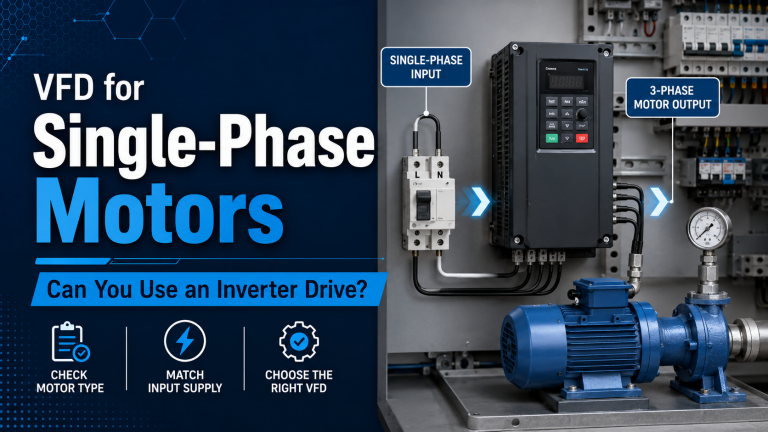
You can control a VFD via simple discrete I/O (start/stop, direction), analog input (0-10 V or 4-20 mA for speed), or via digital communication (Ethernet/IP, Modbus, Profibus etc.). As noted in automation literature, discrete & analog control methods remain common, but the trend is shifting rapidly toward full digital comms for two-way status monitoring. :contentReference[oaicite:4]{index=4}
Discrete & Analog I/O Wiring
Simple to implement: connect PLC output (e.g., DO) to VFD run command input, another for direction. Connect PLC analog output to the VFD speed reference input if variable speed is required. Ensure the VFD’s digital input type (sink/source) matches your PLC output type.
Digital Communication Protocols
For advanced control, use protocols such as Modbus RTU/TCP, Ethernet/IP or Profinet. This enables the PLC to send speed set-points, read actual speed, fault status, etc. As noted in one guide: “The exchange of control data and status information … is all performed by the gateway.” :contentReference[oaicite:5]{index=5}
Step 3: Wiring and Installation Best Practices
When wiring your PLC to VFD system, pay attention to the following best practices:
- Keep analog/signal wires separate from power cables to avoid noise.
- Ensure proper grounding/shielding – VFDs generate high dv/dt and switching noise.
- For long cable runs between VFD and motor, size correctly and consider dv/dt filters or sin filters.
- Use the VFD Cable Sizing Calculator to verify correct conductor size and voltage drop based on run length and motor current.
Step 4: Configure the VFD for PLC Control
Once the physical wiring is completed, set up your VFD parameters so that it responds correctly to PLC commands:
- Set the control mode (e.g., “External Reference” or “Bus Control”).
- Assign digital inputs for commands: e.g., DI1 = Run Forward, DI2 = Stop, DI3 = Direction.
- Assign analog input channel (AI1) for speed reference if required.
- Configure communication parameters if using digital bus: station address, baud rate, tags, words. Refer to the manufacturer’s manual.
- Verify motor parameters (voltage, current, poles) have been entered correctly – incorrect motor data will impair integration and monitoring.
Step 5: Program the PLC Logic & HMI Integration
In your PLC program, implement logic to control the drive and monitor its status:
Basic Discrete Logic Example
Ladder/structured text logic should include: start command, stop command, direction selection, fault reset, and enable speed reference if analog.
Communication Logic Example
If using a bus protocol, map data words/addresses: e.g., word 0 = drive command word, word 1 = speed setpoint, word 10 = actual speed reading, word 11 = fault code. One tutorial walks you through choosing telegrams (data-words) and structuring them in the PLC. :contentReference[oaicite:6]{index=6}
For example, you might integrate an HMI panel such as the :contentReference[oaicite:7]{index=7} or the :contentReference[oaicite:8]{index=8} where the operator selects speed, direction and monitors faults/readings provided by the drive via PLC tags.
Step 6: Commissioning & Verification
With wiring and programming done, the commissioning phase ensures everything works as intended:
- Power up the drive and PLC. Put the drive into remote command mode.
- From the PLC or HMI issue a start command; verify the motor starts, and direction is correct.
- Change speed reference (via analog or bus). Confirm the motor speed changes accordingly.
- Check status feedback from the drive (e.g., run indication, fault indication, actual speed, current). Ensure PLC reads these values.
- Simulate fault scenarios: e.g., motor overload, phase loss – see that the drive faults and PLC receives fault code. This is key for future troubleshooting and integration with your monitoring system.
Step 7: Advanced Integration and Tuning
For more advanced setups, you can include features such as:
- PID control loops inside PLC/HMI where the VFD acts as actuator.
- Energy monitoring: read drive current/power via bus and trigger alerts or logging.
- Sequence logic combining multiple drives, coordinated by PLC.
- Use of braking resistors or regeneration – size via the Braking Resistor Calculator if your drive decelerates heavy loads.
Step 8: Example Product Set for Typical Integration
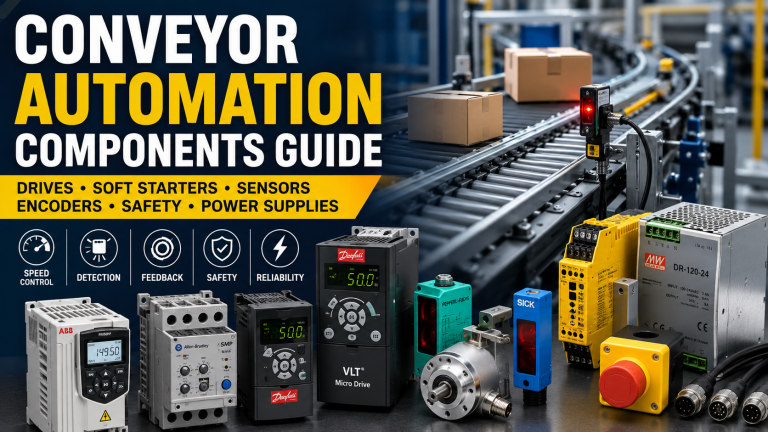
Here’s a set of drives and control devices you might be integrating in your system:
- Allen Bradley 25B-D017N114 – a versatile Allen-Bradley VFD for general machine control.
- ABB ACS355-03E-06A7-2 – compact ABB drive with rich communication options.
- Omron 3G3MX2-A4022-EV2 – Omron’s high performance drive series, ideal for dynamic loads.
- Delta VFD022E21A – a cost-effective Delta drive for light to moderate duty applications.
And for operator interface / control:
- Allen Bradley 2711P-T7C22D9P – PanelView HMI for operator input and drive status monitoring.
- Delta DOP-107BV – Delta HMI unit for simple operator screens.
- Kinco MT070E – Kinco HMI touchscreen for value systems.
- Omron NS5-TQ10B-V2 – Omron HMI for integrated automation platforms.
Common Pitfalls & Troubleshooting Tips
Some frequent issues when integrating PLCs with VFDs include:
- 🔹 Incorrect digital input logic levels (sink vs source) causing commands not to register.
- 🔹 Mis-configured communication addresses or telegram lengths leading to no status feedback. :contentReference[oaicite:9]{index=9}
- 🔹 Using analog input for speed without scaling correctly in PLC/HMI – results in wrong speed commands.
- 🔹 Not verifying motor data in the drive – the drive may trip on overload or produce unexpected behaviour.
- 🔹 High noise or long wiring runs causing interference; ensure proper shielding and grounding.
Conclusion & Next Steps
Integrating a PLC and VFD correctly is essential for modern automated systems. Follow the steps: define your architecture, choose signal/control method, wire properly, configure parameters, program your PLC/HMI logic, commission carefully, and verify advanced features. By using this guide you reduce commissioning time, minimise operator errors, and future-proof the control system.
If you’re sizing a motor or drive for the first time, don’t forget to use the VFD Sizing Calculator and the VFD Cable Sizing Calculator to ensure correct current and cable selection. Once sized, you can explore our full range of drives and HMIs linked above, tailored for every budget and application.
At Drive Outlet Megastore, we offer expert advice, fast UK delivery and a wide portfolio of automation components to support your integration projects. Contact our team for help specifying your next PLC + VFD system today.